XD ONE PORTABLE DUST MONITOR

Portable, real-time dust monitoring for every worker at risk from harmful respirable dust.

XD ONE PORTABLE DUST MONITOR

Portable, real-time dust monitoring for every worker at risk from harmful respirable dust.

XD ONE PRODUCT DETAILS

  • Portable, mountable and moveable
  • Early warning of personal exposure to airborne particulates
  • Early warning alerts for increased particulate levels
  • Innovative light scattering photometer that combines adaptive flow rate with advanced sensing technology to ensure a high level of measurement accuracy
  • Instantaneously measured and classified at up to 10,000 samples per second to allow detailed real-time reporting even in high dust level environments
  • PM1, PM2.4, PM4.25, PM10 and TSP measurement ranges
  • 0.35 ยตm to +40 ยตm particle sizing range
  • Low-end sensor resolution, measuring down to 0.35 ยตm with 99% capture
  • Custom particle density for increased characterisation
  • Operational stability in varying atmospheric and environmental conditions
  • Custom Logging Intervals from 10 to 60 seconds
  • On-device audio/visual alarms
  • Custom alarm set-points
  • Custom STEL and TWA period alarm thresholds
  • On-device self-check routine
  • Battery operated, rechargeable (16+ hours)
  • On-device data logging
  • Live data readout via BreatheLITE software
  • Data analytics functions via BreatheLITE software
  • Data analytics functions via BreatheLITE software
  • Range of personal, industrial and cabin mounting options
  • Low maintenance
  • With no filters, no pumps, no tubes, and no replaceable parts, simply just switch it on and in 5 seconds youโ€™re ready to monitor for all dangerous dusts, reducing time and effort finding the right solution for your workplace health and safety.
  • Simultaneously monitoring for every dust particle from 0.35 ยตm to +40 ยตm, XD ONEย is designed to work in some of the most hazardous environments, so protecting your workforce from hazardous particulates is simple and straightforward.
  • Anti-static unrestricted particulate flow through gives it itโ€™s incredible accuracy and durability โ€“ whether detecting microscopic but dangerous particulates or in heavy dust load environments.
  • At only 445g, XD ONE can be easily located across your workplace, in hard to reach, arduous locations in any occupational environment, without disruption or interrupt on your daily working day.
  • Ruggedised design, IP54 ingress protection and lightweight, portable capability with belt-loop and sew-on doc means that the XD ONE can be used in any area across your workplace, designed to function in any challenging industrial environment.

      GOT PRODUCT RELATED QUESTIONS?

      Got a question relating to our XD ONE Portable Dust Monitor? Take a look at our FAQs. If you can't find what you're looking for then you can submit a support ticket and an expert will be in touch.

      If the Trolex XD1+ STEL and TWA indicators are flashing red as shown below:

      This means the Trolex XD1+ย has detected an electronic failure of the internal memory. The XD1+ย will alert the user and enter an error state.

      If this happens, please contact our support team to raise a ticket.

      If all three device indicators are flashing red as shown below, this means the device has a non-recoverable operating error.ย 

      If this is happening to your Trolex XD1+ device, please contact theย Trolex service team to raise a new support ticket

      This depends on the frequency and concentration of the dust when the compliance checks are done. In internal lab testing we have compliance checked 3 monitors on one bottle of compliance dust.

      If an error occurs when downloading the device data from an XD1+, we recommend that you raise a support ticket and attach your log files that are located in the following locations:

      Windows:ย C:\ProgramData\BreatheLite\

      Mac:ย $UserDirectory\.BreatheLite\Data

      Note:ย the logs are in the format of “yyyymmdd.txt”

      By default, BreatheLITE should automatically detect the connected devices. However if theย Automatic Device Discovery service has been turned off, it is still possible to automatically detect devices by following the steps below.
      1. To automatically add a new device, connect the device to the computers USB port before following the steps belowIn the Devicesย section, click on theย Actionsย button and click onย Automatic Device Scan as shown below

      2. A loading message will be displayed while the app automatically detects all of the connected devices
      3. Once the app has finished scanning the new device(s) will be displayed in the Devicesย section as shown below:

      Manually add a device

      To manually add a new device, connect the device to the computers USB port before following the steps below:
      1. In the Devicesย section, click on theย Actionsย button and click onย Manually Add Device as shown below
      2. A new popup will be displayed asking you to enter the devices serial number and model:

      3. Enter the devices serial number into the text box and select the device model from the drop down. After entering the information, click on the Add button. The device serial number can be found on the product label
      4. The new device will be displayed in the Devices section as shown below:

      5. Before downloading data from the device, the COM port of the device will need to be configured. Click on the Settings section and choose the devices COM port as shown below:

      6. Once the COM port has been configured, click on the Save button
      To clear the data from the device, please follow the steps below:
      1. Click on the device to be cleared in the Devices section
      2. Click on the Clear button and a new popup menu will be displayed as shown below:

      3. There are 4 options to choose from. These are highlighted below:
      • ย Alarm Logs:ย Select this to only clear the alarm logs from a device.
      • Event Logs:ย Select this to only clear the event logs from a device.
      • Telemetry:ย Select this to only clear the telemetry data from a device.
      • Shift Summaries:ย Select this to only clear the shift summary data from a device.
      • All:ย Select this to delete all of the data from a device.
      Once the logs have been cleared from the device, a notification will be displayed showing if the data was successfully cleared or not.
      Note: Data on the XD1+ or XD ONE won’t be recoverable once device data is deleted.
      BreatheLITE is used to change the settings of an XD1 + or XD ONE device. To do this, establish a connection with the device.

      Once the connection is established, the device settings can be downloaded and changed by following the steps below:
      1. Click on the device to be configured in the Devices section. BreatheLITE will automatically download the device settings

      2. Click on the Settingsย tab as shown below:

      3. Make the required changes to the devices settings by changing the options in the settings tab
      4. To save the device settings click on the Save button at the bottom of the settings

      5. A notification will then be displayed to show the device settings were successfully saved
      To download the data from a device, please follow the steps below:

      1. Connect the device via the USB cable to the computer
      2. If the device is not shown in the device list, click on the Actionsย button and click onย Automatic Device Scan. As detailed in theย Devices section
      3. Click on the device in the Devices section and the following screen will be displayed:

      4. The next step is to click on the Download Data button and a popup menu will be displayed that will automatically download the devices data. Shown below:

      5. Once the data has been downloaded, the popup will show that data download is complete, as shown below:

      6. Click on the Closeย button to complete the telemetry download.

      PARTICULATE MONITORING

      Image of TX8061 XD1+ Personal Dust Monitor
      TX8061 XD1+ Personal Dust Monitor

      Image of TX8005 AIR XD Dust Monitor
      TX8005 AIR XD Dust Monitor

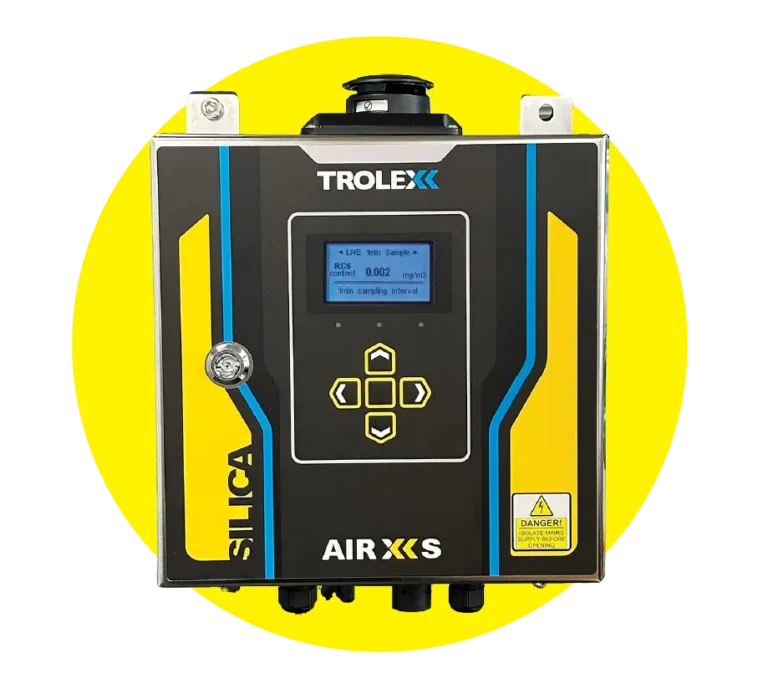
      Image of TX8100 AIR XS Silica Monitor
      TX8100 AIR XS Silica Monitor

      Image of AIR X Software
      AIR X Software

      SALES ENQUIRIES

      GET PRODUCT UPDATES

        You may unsubscribe from these communications at any time. For more information on how to unsubscribe, our privacy practices, and how we are committed to protecting and respecting your privacy, please review our Privacy Policy.

        XD1+: FOR THE WORKER

        Enter your contact details to connect with an expert who can discuss integrating real-time particulate monitoring to your workplace safety processes.

        Close