Connected Solutions

AIR X
Software

Dedicated AIR X software makes storing, accessing and interrogating all the data your real-time AIR X particulate monitor collects, quick, easy and straightforward.

BreatheLITE UPDATE

FULL PLATFORM RUN-THROUGH

Software description

Gain access to valuable dust data from entire working shifts, both in real-time and from historical working shifts.  

Our range of AIR X software, available on desktop for all real-time dust monitors, and on mobile for our personal dust monitors, allow you to see trends, spikes and changes in the dust levels your workers are exposed to over time. 

Manage device settings and set relevant thresholds on our software, for complete control over your dust management and wider workplace health and safety. 

  • Breathe software compatible with AIR XD Dust Monitor, available on desktop. 
  • BreatheXS software compatible with AIR XS Silica Monitor, available on desktop. 
  • BreatheLITE software compatible with XD1+ Personal Dust Monitor and XD ONE Portable Dust Monitor, available on desktop. 
  • BreatheMOBILE software compatible with XD1+ Personal Dust Monitor, available for mobile. 
  • Download all dust data collected on AIR X software to your desktop or mobile device. 
  • Ability to run compliance checks for all real-time monitors through AIR X software, every 3 months. 
  • Change name of each device on AIR X software, when deploying multiple devices across entire worksites. 
  • Change units of measurement in mg/m³ or µm/m³. 
  • Customise the Time Weighted Average (TWA) of dust data collected to your local legislative limits. 
  • Data analysis available with full graph display of dust data collected between time period and particulate matter (PM) size of your choosing. 
  • Pan and zoom into specific times or peaks on the graph for further dust data analysis. 
  • Download graphs to your desktop or mobile device as PNG image. 
  • Gain access to all the data your real-time dust monitor collects, both in real-time and for historical working shifts. Never leave worker exposure to hazardous dust to chance again, with accurate data couple with time stamps. Real-time really does mean ‘real time’ with AIR X software. 
  • View all the trends, shifts and patterns in dust data over entire work shifts and gain valued and reliable data to make effective and efficient health and safety decisions for the future, streamlining future processing and activities. Save time, money and lives with software. 
  • It’s no longer just enough to make a decision and hope it’s a success. With AIR X software, once a control measure has been introduced to reduce or limit dust exposure, you can track how effective this control measure is by seeing whether dust levels have reduced overtime in relation to historical data. 
  • Get your workers and staff involved with the importance of health and safety by allowing them to see first-hand the dust levels they’re exposed to. Data shown on AIR X software is easy to understand and simple to access, allowing the entire workplace to engage in the importance of effective real-time dust monitoring. 
  • AIR X software is there to benefit you. There’s no single way to correctly use it. Personalise thresholds, change the settings to benefit your working environment and make the most of the data you have, to keep your workplace safe, efficient, cost and time effective in a way that best suits you. 
  • Redesigned and Simplified Device Management: Cleaner UI showing battery level, compliance status, firmware version, and update notifications.
  • Getting Started Wizard: New guided setup to onboard users and start device management quickly.
  • MP4 Video Support: Import MP4s from GoPro, Insta360, and other cameras — play videos with overlaid dust data.
  • Global Device Settings: New feature that applies specified Global Settings to devices automatically when they connect.
  • Simplified Data Analysis UI: Easier visibility of which dates have device readings and streamlined charting.
  • Advanced Data Analysis: Compare multiple devices’ Data side-by-side.
  • New data series added

    • Measured Average: Cumulative average of live particulate concentrations from session start to the current time.
    • Monitoring Period Average: Fixed average for the entire monitoring period after a session ends.
    • Workplace Exposure Limit (WEL): Reference point included in charts.
  • Compliance Check: Redesigned UI with performance and speed improvements.
  • Notification Centre: See when devices download data and view other device notifications in one place.
  • Improved In-App Help: Enhanced guidance and troubleshooting.

DOWNLOAD SOFTWARE

    PARTICULATE MONITORING

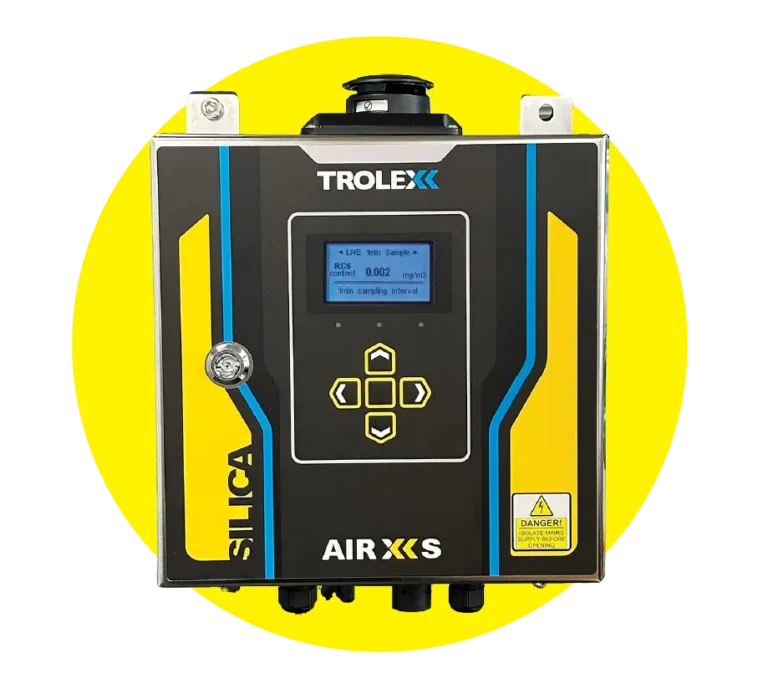
    Image of TX8100 AIR XS Silica Monitor
    TX8100 AIR XS Silica Monitor

    Image of TX8005 AIR XD Dust Monitor
    TX8005 AIR XD Dust Monitor

    Image of TX8061 XD1+ Personal Dust Monitor
    TX8061 XD1+ Personal Dust Monitor

    Image of TX8060 XD ONE Portable Dust Monitor
    TX8060 XD ONE Portable Dust Monitor

    PRODUCT SALES ENQUIRIES

    GET PRODUCT UPDATES

      You may unsubscribe from these communications at any time. For more information on how to unsubscribe, our privacy practices, and how we are committed to protecting and respecting your privacy, please review our Privacy Policy.